The white glove test: how to inspect a clean (free checklist)
What the white glove test is, how to run it and what counts as a pass, plus a free checklist you can print or fill in on your phone.
This page may contain affiliate links. How we make money
The white glove test is a simple way to check a clean. You put on a clean white glove, run a fingertip over spots that are easy to miss, and look at the glove. If it comes back gray, that spot wasn't cleaned.
For a cleaning business, it's a quick way to check a cleaner's work before the client does. This guide covers what you need, how to run the test, what counts as a pass and how often to do it. The free checklist is below: print it, save it as a PDF or fill it in on your phone.
Outside cleaning, "white glove" usually means premium, hands-on service. This guide is about the cleaning check.
What you need
- A clean white glove. White cotton shows dust clearly. A white microfiber cloth around two fingers works too.
- A small flashlight. Your phone's light is enough.
- The checklist below, printed or on your phone.
- Your phone's camera, to photograph anything you find.
How to run the white glove test
- Wait until the cleaner is done, and only check what the job included. If the top of the fridge wasn't part of the job, it isn't a miss.
- Start high and work down. Door frames, fan blades and shelves first, then counters and furniture, then baseboards and floors. Dust falls as you clean, so a clean that goes top to bottom is the one that holds up.
- Swipe once, then look. Run one fingertip across the surface and check the glove before you touch anything else.
- Hold the flashlight low and close to the surface. At that angle it shows crumbs, hair, streaks and smudges on counters, floors, mirrors and glass.
- Check the touch points. Light switches, door handles, faucets and appliance handles collect fingerprints, so a missed wipe shows.
- Photograph what you find, and note the room and the spot.
- Mark the result: pass, or re-clean needed. Fix misses the same day if you can, before the client finds them.
- Talk to the cleaner soon. Show the photos, say what passed too, and agree on what changes next time.
White glove test checklist
Only check what the job included. To get a PDF, choose "Save as PDF" in the print window.
From thewhiteglovetest.com/white-glove-test/
What counts as a pass
Decide your standard before you inspect, and use the same one for every cleaner. For example:
- Dusting: no gray line on the glove after one swipe.
- Glass and mirrors: no streaks or spots under the flashlight.
- Sinks, tubs and showers: no hair, soap scum or water spots.
- Floors: no crumbs or hair along the edges and in the corners.
Some things cleaning can't fix, like stains, scratches, hard-water etching or worn grout. Note them for the client, but don't count them as misses.
How often to inspect
- New cleaners: their first few cleans, while habits are still forming.
- New clients: the first clean, so you learn what that client notices.
- Regular jobs: occasional spot checks, so the standard holds on every visit.
- After a complaint: the next clean of that home, with the client's note in hand.
Put the checklist on your cleaners' phones
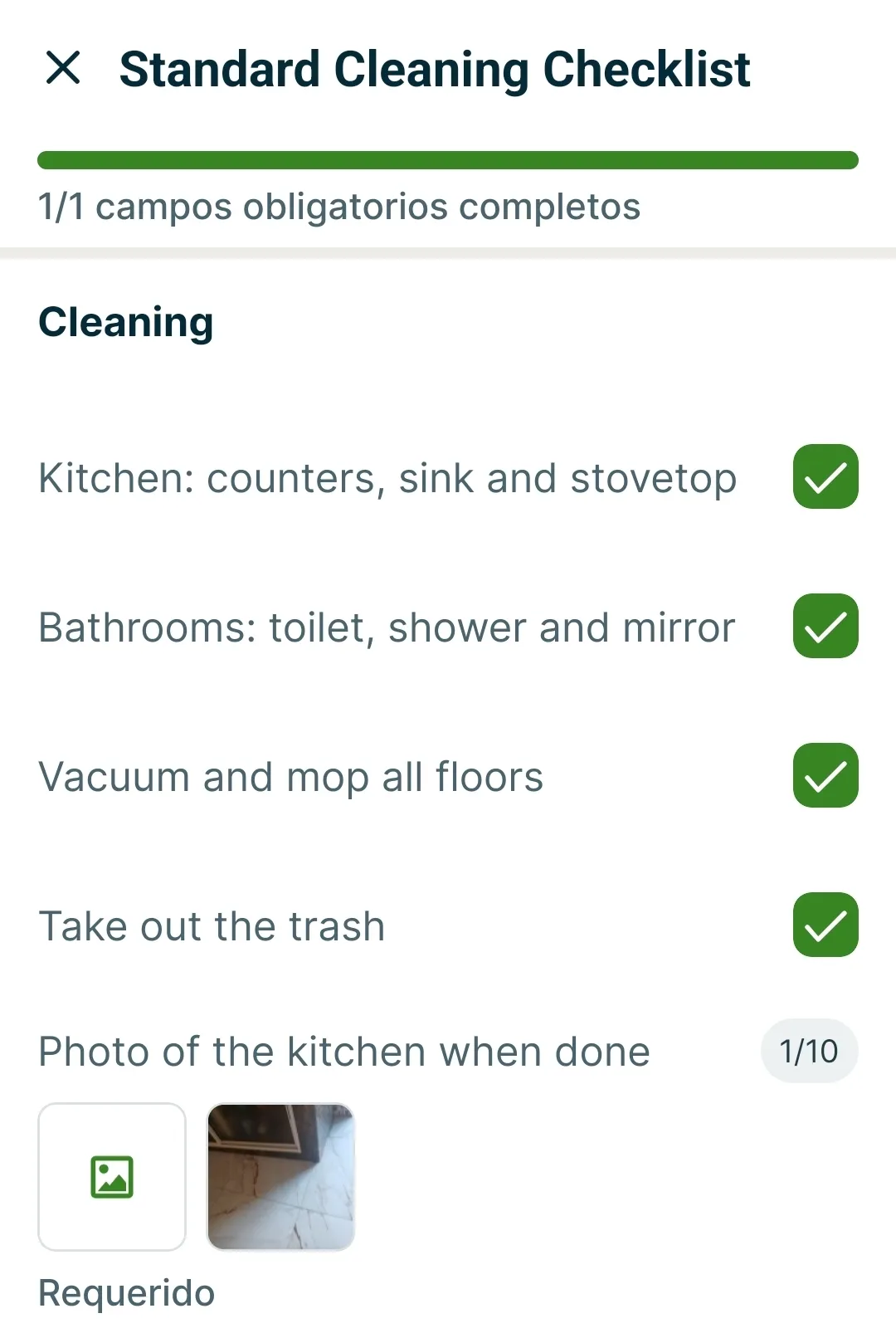
A paper checklist works. Some cleaning business apps can also put a checklist on each cleaner's phone, so cleaners check their own work before you do. So far we've tested one of them: Jobber, for 14 days. Here's what we found:
- Checklists with required photos worked in the free trial.
- There were no ready-made templates, so we built our "Standard Cleaning Checklist" from scratch. The editor was easy to use.
- On the phone, our cleaner could fill it in with one hand, and couldn't finish without the required photo.
- As the owner, we saw the ticks and the photo, and could email or download the filled checklist.
- Checklists aren't in Core, Jobber's cheapest plan. According to Jobber's pricing page, they start with Connect. Our Jobber pricing breakdown has the prices.
Affiliate link. We may earn a commission. Why that's okay
Want to see how we test the apps themselves? Read how we test.